
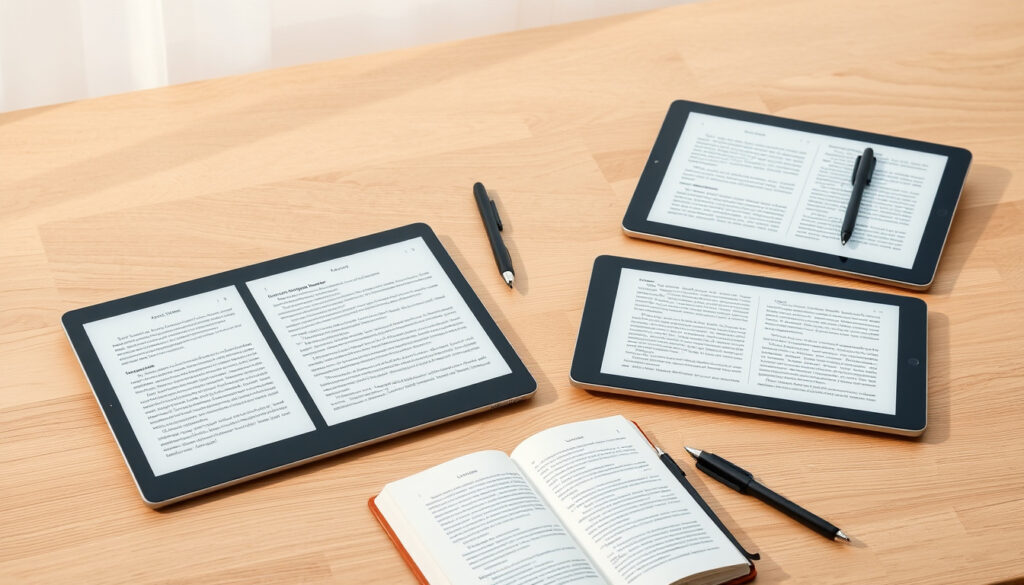
Few devices let you write by hand in a meeting or annotate a PDF in bright sunlight without the glare that makes LCD screens painful to read. E-ink tablets bridge that gap—and 2026 has sharpened the trade-offs considerably. Whether you’re choosing between distraction-free simplicity and Android flexibility, or trying to figure out where your budget makes the most sense, the right pick comes down to how you actually work. Here’s what expert reviews from XP-Pen, Templacity, and MoneyMagpie agree on for the best e-ink tablets this year.
Top Overall Pick: reMarkable Paper Pro · Best for Note-Taking: Boox Note Air 3 · Best Value: reMarkable 2 · Key Brands: Boox, reMarkable, Supernote
Quick snapshot
- Boox and reMarkable dominate 2026 picks (XP-Pen review)
- reMarkable Paper Pro: 11.8-inch display, £559 price point (Templacity testing)
- reMarkable 2 leads for paper-like writing feel (iFLYTEK assessment)
- Battery life specs for most compared models not publicly available
- Regional pricing variations (USD, EUR) missing from manufacturer data
- Specific stylus pressure sensitivity levels and latency figures not detailed
- 2026 market assessment and rankings now established across review sites
- Color e-ink emerging as next wave, though 2026 remains writing-focused
- iFLYTEK AINOTE 2 leads in AI transcription features (iFLYTEK product review)
- Boox Tab Ultra C Pro expands color capabilities for productivity (iFLYTEK testing)
| Label | Value |
|---|---|
| Top Sites Agree On | reMarkable and Boox lead |
| Common Use Cases | Note-taking, reading |
| Key Differentiator | Writing feel over color |
| Price Range | £400–£559+ |
| Primary Platforms | Android, custom Linux, proprietary |
| Target Users | Students, professionals, focused writers |
Which e-ink writing tablet is best?
Three tablets consistently surface in 2026 roundups when expert reviewers test writing feel and screen clarity side by side.
Top overall picks
The reMarkable Paper Pro carries the most consensus for users who want the best overall experience. It features an 11.8-inch Canvas Color display that matches standard A4 dimensions, and Templacity’s testing confirms it delivers what reviewers describe as the “undisputed industry gold standard” for pure, tactile writing. The trade-off: a custom Linux-based operating system stripped of a web browser, app stores, and notification banners—which reviewers from Templacity note is a deliberate choice for distraction-free work. The price starts from £559, positioning it at the premium end of the market.
Best for note-taking and reading
The Boox Note Air 3 earns its place as the top pick for most users by balancing Android flexibility with solid writing and reading performance. XP-Pen’s 2026 testing found it comparable to an iPad for note-taking while maintaining the e-ink reading experience. That Android base means you can run standard productivity apps—a capability reMarkable deliberately avoids. The Kobo Elipsa 2E also earns consideration for readers who want a 10.3-inch E Ink Carta 1200 screen with ComfortLight PRO for glare-free, adjustable lighting.
reMarkable Paper Pro wins on writing feel alone. Boox Note Air 3 wins if you need Android apps alongside your reading and notes. Choose the tablet that matches where you actually spend your time.
Who makes the best e-ink tablet?
Three brands anchor expert recommendations, with each taking a distinct position in the market.
Boox recommendations
Boox tablets run full Android, which means they can install any app from the Google Play Store. The Boox Tab Ultra C Pro specifically earns praise as unmatched for productivity apps and color capabilities, per iFLYTEK’s testing. The BOOX Go 7 Color Gen 2 has built a following among professionals, students, and avid readers who want color e-ink without leaving the Android ecosystem.
reMarkable lineup
reMarkable occupies the Apple-like position in the e-ink market: polished hardware, tight software integration, and a deliberate feature set optimized for writing rather than general productivity. The reMarkable 2 remains the value leader for pure writing, delivering the closest paper-like writing experience as of 2026, according to multiple review sources. The Paper Pro extends that foundation with color support and a larger 11.8-inch display.
Supernote for writers
Supernote targets writers who prioritize annotation and markup tools over general tablet functionality. Community feedback from Reddit’s r/eink community consistently highlights Supernote’s stylus design and file organization as superior for long-form writing workflows. The iFLYTEK AINOTE 2 also merits attention for professional workflows, particularly AI transcription features that convert handwriting to text—though this sits at a higher price point with its 10.65-inch flexible display and 300 PPI resolution.
Picking a brand means picking an ecosystem. Boox gives you Android apps but adds distraction potential. reMarkable locks you into a focused tool but removes friction. Supernote optimizes for writers at the cost of general features.
Is it worth buying an e-ink tablet?
For the right user, e-ink tablets deliver genuine value that LCD tablets cannot match for specific tasks.
Benefits for reading and notes
E-ink tablets are purpose-built for book lovers, students, and professionals seeking distraction-free devices, as XP-Pen frames it. The reflective display technology means no backlight glare in sunlight, battery life measured in weeks rather than hours, and a writing surface that actually feels like paper under a stylus. For anyone who spends hours annotating PDFs, taking meeting notes, or reading technical documents, these advantages compound into real productivity gains.
Value compared to LCD tablets
The reMarkable Paper Pro starts from £559—a price that sits below a base iPad but delivers superior writing feel for focused work. The Kindle Scribe offers a lower entry point at the budget end, trading ecosystem integration for basic writing capability. The iFLYTEK AINOTE 2 with its 10.65-inch display and Wacom EMR technology targets professionals who need AI transcription features alongside their writing, positioning the investment around workflow efficiency rather than device cost alone.
You won’t get video, color-rich apps, or the general versatility of an iPad. If your workflow centers on reading and handwriting, the value is clear. If you need a general-purpose tablet, LCD still wins.
How to choose an e-ink tablet?
The choice breaks down into a few concrete decisions based on how you work.
Key features to consider
Screen clarity and writing feel matter most—these are the specs that differentiate e-ink tablets from each other. The reMarkable Paper Pro’s 11.8-inch display leads on size, while the iFLYTEK AINOTE 2’s 300 PPI resolution leads on sharpness. Wacom EMR technology, featured on the iFLYTEK AINOTE 2, provides the pressure sensitivity that serious writers and researchers need for extended sessions. ComfortLight PRO on the Kobo Elipsa 2E addresses lighting concerns that some models leave unresolved.
Budget vs premium options
Budget-conscious buyers have real options in 2026. The reMarkable 2 delivers flagship writing feel at a lower price than the Paper Pro. The PocketBook InkPad Color 3 serves as the best budget color e-ink option, while the Kindle Scribe provides the most affordable entry point for those already in Amazon’s ecosystem. Premium buyers willing to spend more get better stylus technology, larger displays, and professional features like AI transcription—but only if their workflow actually uses those capabilities.
Android vs. dedicated OS is the fundamental choice. Android tablets (Boox) do more but distract more. Dedicated OS tablets (reMarkable) focus you but limit functionality. Your workflow discipline should guide this decision.
What are the downsides of e-ink?
E-ink technology carries real limitations that matter depending on your use case.
E-Ink vs LCD comparison
E-ink uses reflective technology—no backlight in direct sunlight, which means significantly lower power consumption and reduced eye strain. However, refresh rates lag behind LCD. Fast document scrolling, video playback, and responsive touch interactions all suffer compared to standard tablets. The Bigme Galy leads for color e-ink but carries a premium price that reflects the still-maturing technology.
Common limitations
Not all e-ink tablets include frontlights, which limits where you can use them in low-light conditions. Slower refresh rates affect any interaction beyond reading or writing—navigating menus, switching apps, or viewing media becomes noticeably less smooth. Software ecosystems remain smaller than iPad or Android tablets, which means some productivity tools you’ll want may simply not exist in e-ink versions.
| Tablet | Best For | Platform | Display | Key Drawback |
|---|---|---|---|---|
| reMarkable Paper Pro | Writing feel | Custom Linux | 11.8″ color | No Android apps |
| Boox Note Air 3 | Android flexibility | Android | 10″+ | Distraction potential |
| reMarkable 2 | Budget writing | Custom Linux | 10.3″ | Monochrome only |
| iFLYTEK AINOTE 2 | AI transcription | Android | 10.65″ 300 PPI | Higher price |
| Kindle Scribe | Amazon ecosystem | Custom | 10.2″ | Limited apps |
| Kobo Elipsa 2E | Reading comfort | Custom | 10.3″ Carta 1200 | No Android |
| PocketBook InkPad Color 3 | Budget color | Custom | 7″ color | Smaller screen |
| Tablet | Display Size | PPI / Screen Tech | Stylus Tech | Platform | Storage |
|---|---|---|---|---|---|
| reMarkable Paper Pro | 11.8″ | Canvas Color | Marker felt tip | Custom Linux | 8 GB |
| Boox Note Air 3 | 10.3″ | Not disclosed | Stylus included | Android 12 | 64 GB |
| reMarkable 2 | 10.3″ | Monochrome | Marker felt tip | Custom Linux | 8 GB |
| iFLYTEK AINOTE 2 | 10.65″ | 300 PPI / Flexible E-Ink | Wacom EMR | Android | Not disclosed |
| Kindle Scribe | 10.2″ | Not disclosed | Premium Pen | Custom | 8/16 GB |
| Kobo Elipsa 2E | 10.3″ | E Ink Carta 1200 | Kobo Stylus | Custom | 32 GB |
| PocketBook InkPad Color 3 | 7″ | Color e-ink | Not disclosed | Custom | 32 GB |
| Boox Tab Ultra C Pro | 10.3″ | Color e-ink | Stylus Pro | Android 12 | 128 GB |
Upsides
- Paper-like writing feel unmatched by LCD tablets
- No glare in sunlight—read anywhere
- Battery lasts weeks, not hours
- Distraction-free design on reMarkable lineup
- Android flexibility on Boox for productivity apps
- Color e-ink options emerging (Bigme Galy, Boox Tab Ultra C Pro)
Downsides
- Slower refresh rates than LCD—frustrating for scrolling
- Limited app ecosystem compared to iPad
- Some models lack frontlight for low-light use
- Premium pricing for top-spec models
- No video or color-rich media experience
- Software update frequency varies by manufacturer
The Boox Note Air 3 is our top pick for most users in 2026, balancing Android apps, writing, and reading.
XP-Pen (e-ink tablet review publication)
If your definition of the best e ink tablet 2026 centers entirely around the pure, tactile writing experience, the reMarkable Paper Pro remains the undisputed industry gold standard.
Templacity (e-ink tablet review publication)
If you need productivity apps and color, the Boox Tab Ultra C Pro is unmatched.
iFLYTEK (e-ink tablet manufacturer and reviewer)
If handwriting feel is your priority, the reMarkable 2 still delivers the closest paper-like writing experience.
iFLYTEK (e-ink tablet manufacturer and reviewer)
The e-ink tablet market in 2026 settles into a clear three-way split: reMarkable leads on writing feel, Boox leads on Android flexibility, and Supernote leads for dedicated writers who prioritize annotation workflows. For readers who want the best balance, Boox Note Air 3 covers the most ground. For those who know they want distraction-free writing above all else, reMarkable Paper Pro or reMarkable 2 deliver that experience without compromise. The implication is simple: match the platform to your workflow discipline, not the other way around.
Related reading: Medela Breast Pump – Best Models and Complete Guide
While focusing on 2026 innovations like reMarkable Paper Pro, 2024s top E Ink tablets highlighted reliable picks for note-taking last year.
Frequently asked questions
Do any tablets have e-ink?
Yes. Multiple brands offer e-ink tablets, including Boox, reMarkable, Kobo, Supernote, Kindle (via Scribe), PocketBook, Bigme, and iFLYTEK. Each targets different use cases—from pure writing to reading to productivity.
What is the best e ink tablet for students?
The Boox Note Air 3 and reMarkable 2 both serve students well. Boox offers Android app access for coursework tools; reMarkable 2 offers superior writing feel at a lower price point. The best choice depends on whether your coursework requires specific Android apps.
What is the best budget e ink tablet?
The reMarkable 2 delivers the closest paper-like writing experience at the lowest price among premium options. The Kindle Scribe and PocketBook InkPad Color 3 offer more affordable entry points, with the trade-off of less advanced stylus technology or smaller displays.
What is the best e ink android tablet?
The Boox Note Air 3 ranks as top pick for most users in 2026, balancing Android apps with writing and reading. The Boox Tab Ultra C Pro adds color and productivity app capabilities. The iFLYTEK AINOTE 2 adds AI transcription features for professionals who need handwriting-to-text conversion.
Are e-ink tablets good for reading?
Yes—e-ink displays excel for reading. The Kobo Elipsa 2E’s E Ink Carta 1200 screen with ComfortLight PRO provides glare-free, adjustable lighting. The Kindle Scribe integrates with Amazon’s ecosystem. The reflective technology means no eye strain from backlights in bright environments.
How does e-ink compare to LCD?
E-ink uses reflective displays with no backlight, resulting in longer battery life and reduced eye strain in direct sunlight. However, e-ink refresh rates lag behind LCD, making scrolling, video, and fast interactions less smooth. E-ink wins for reading and writing; LCD wins for multimedia and general productivity.
What brands make e-ink tablets?
Primary brands include Boox, reMarkable, Kobo, Supernote, Amazon (Kindle Scribe), PocketBook, Bigme, and iFLYTEK. Boox and reMarkable dominate expert recommendations for 2026, with each taking distinct positions on the Android-vs-dedicated-OS spectrum.

Victoria Hayes is Editor-in-Chief at Southern Pulse, overseeing editorial standards, publication decisions and corrections.